Azure OpenAI (LLM Services): Full-Stack Azure RAG OpenAI Assistant: Architecture, Services, and Implementation
Project
Table of Contents
- Overview
- Environment Setup and Run/Stop
- How the Code Is Organized
- What Happens Step-by-Step
- How Each Service Works (with key code)
- How Backend and Frontend Are Connected
- How RAG Works Here
- API Request Libraries: Python and JavaScript
- Quick Tips
- CI/CD Note About Infra Files
- Resources
- Project repository
Overview
This project is a full-stack sample that combines:
- FastAPI backend for API endpoints
- Static HTML/CSS/JavaScript frontend for chat UI
- Azure OpenAI for chat/completions
- Azure AI Search for retrieval in RAG mode
- Docker for local containerized run
- GitHub Actions for CI/CD deployment to Azure Container Apps
It supports two user modes:
- Chat mode: sends question to Azure OpenAI only
- RAG mode: retrieves top search documents, injects context, then asks Azure OpenAI
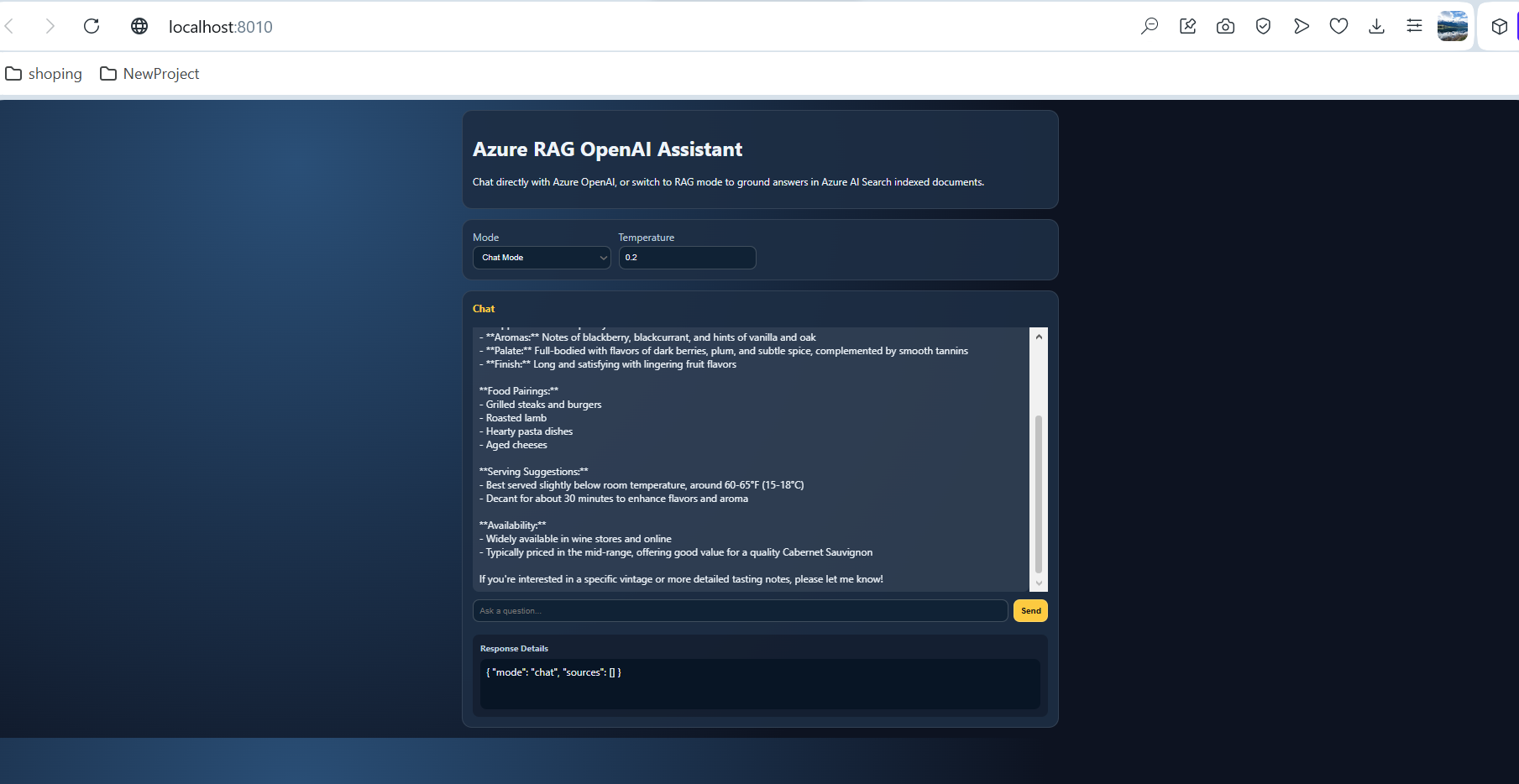
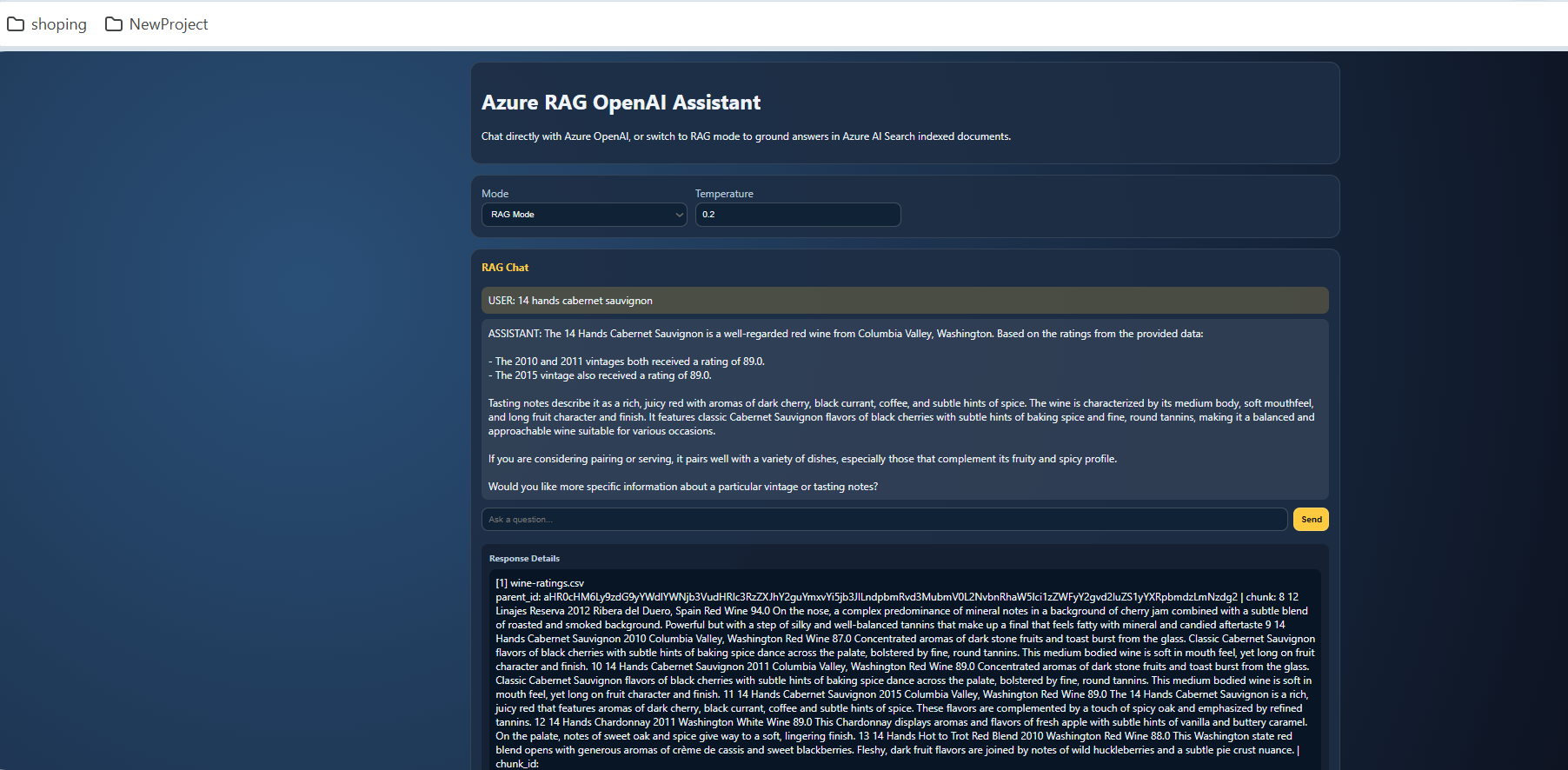
Environment Setup and Run/Stop
Prerequisites
- Python 3.11+
- Docker Desktop
- Azure OpenAI resource and deployment
- Azure AI Search resource and index
Environment file
- Copy .env.example to .env
- Fill required values:
- AZURE_OPENAI_ENDPOINT
- AZURE_OPENAI_API_KEY
- AZURE_OPENAI_CHAT_DEPLOYMENT
- AZURE_SEARCH_ENDPOINT
- AZURE_SEARCH_ADMIN_KEY
- AZURE_SEARCH_INDEX_NAME
- Optional field mapping values for your index schema:
- AZURE_SEARCH_CONTENT_FIELD
- AZURE_SEARCH_TITLE_FIELD
- AZURE_SEARCH_SOURCE_FIELD
- AZURE_SEARCH_VECTOR_FIELD
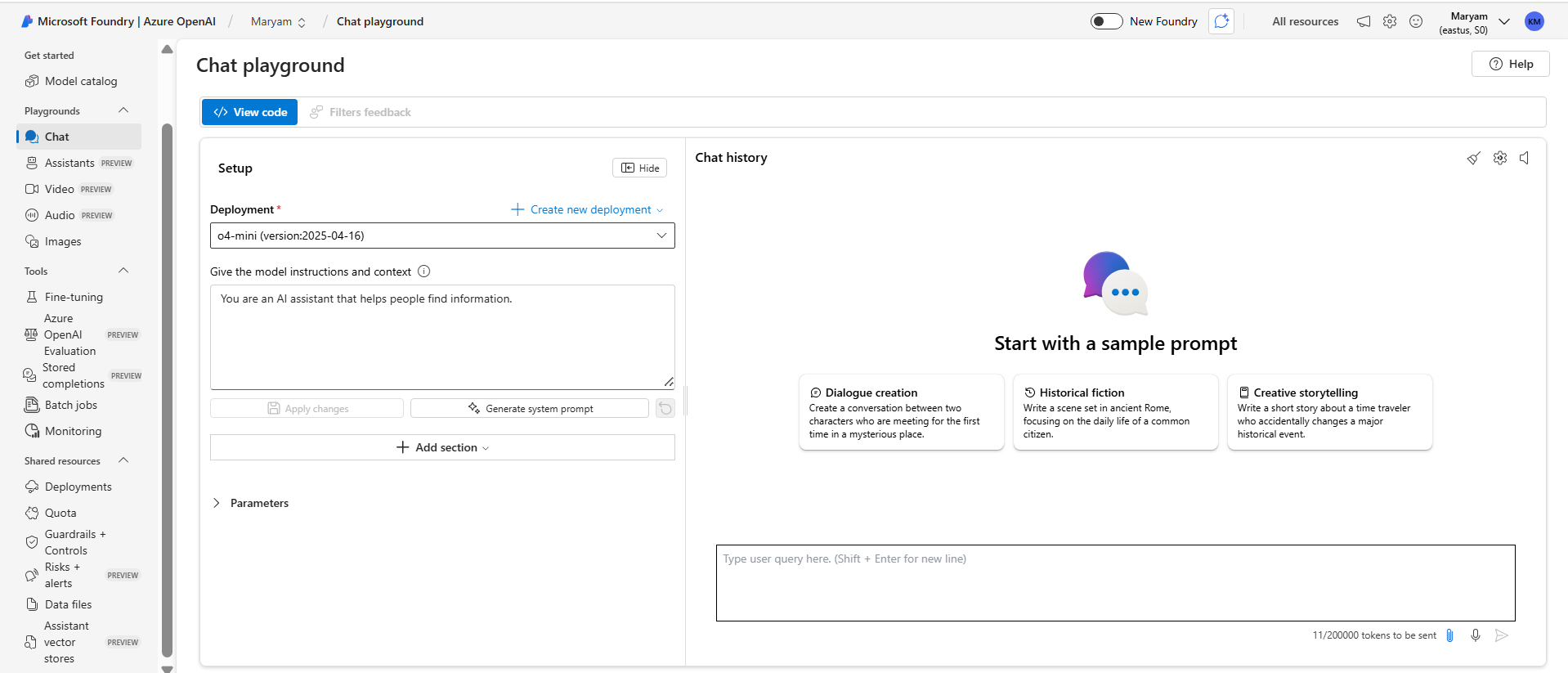
Create and configure Azure OpenAI (resource, chat model, deployment)
- In Azure Portal, create an Azure OpenAI resource in your target subscription/resource group.
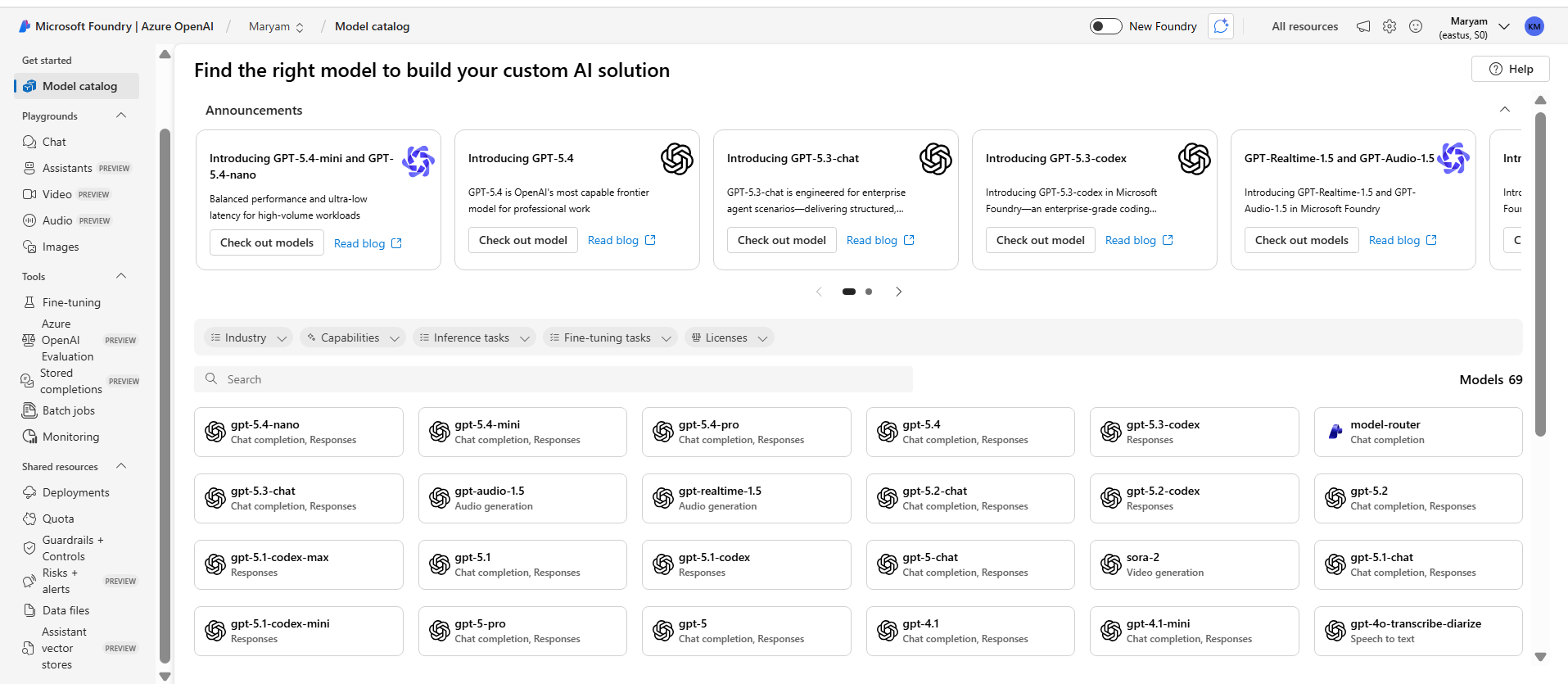
- Open Azure AI Foundry (or Azure OpenAI Studio) for that resource.
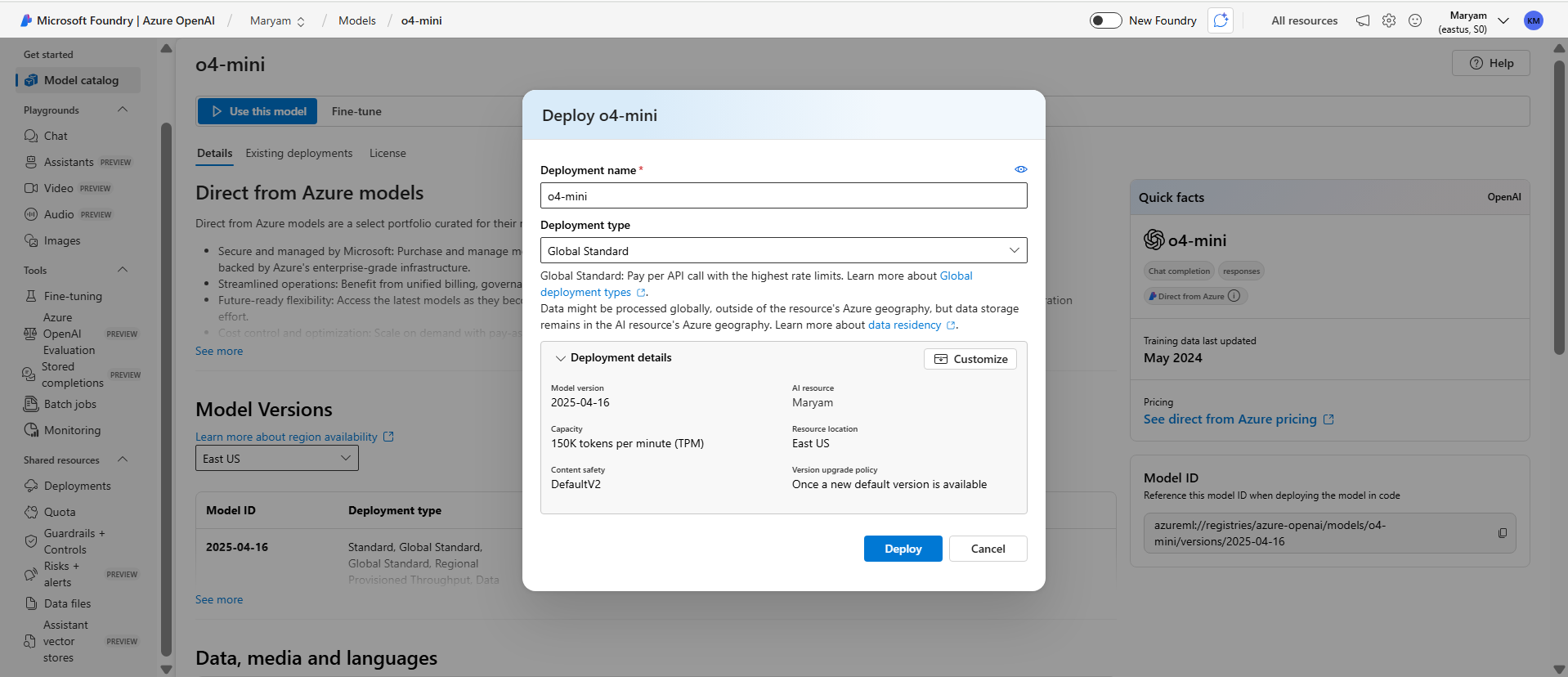
- Go to Deployments and create a chat deployment.
- Select a chat-capable model such as GPT-4.1, GPT-4.1-mini, or GPT-4o-mini, based on your cost/latency needs.
- Give deployment a clear name (example: gpt-4.1-nano) and save.
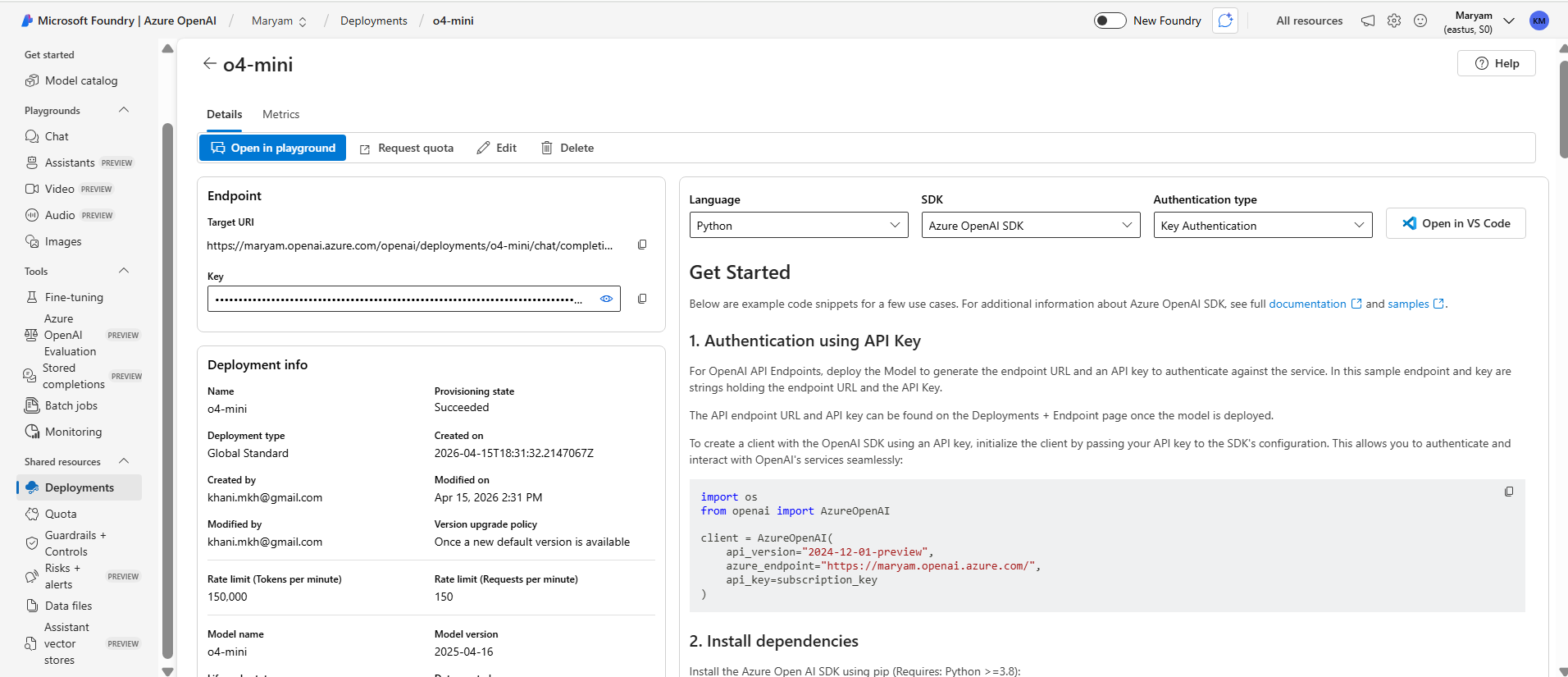
- Copy endpoint and key from resource Keys and Endpoint page.
- Put values into .env:
- AZURE_OPENAI_ENDPOINT: your Azure OpenAI endpoint URL
- AZURE_OPENAI_API_KEY: your key
- AZURE_OPENAI_CHAT_DEPLOYMENT: deployment name from step 5
- AZURE_OPENAI_API_VERSION: keep the version supported by your SDK and model
Optional but recommended for vector RAG:
- Create a second deployment for embeddings (example model family: text-embedding-3).
- Set AZURE_OPENAI_EMBEDDING_DEPLOYMENT in .env to that embedding deployment name.
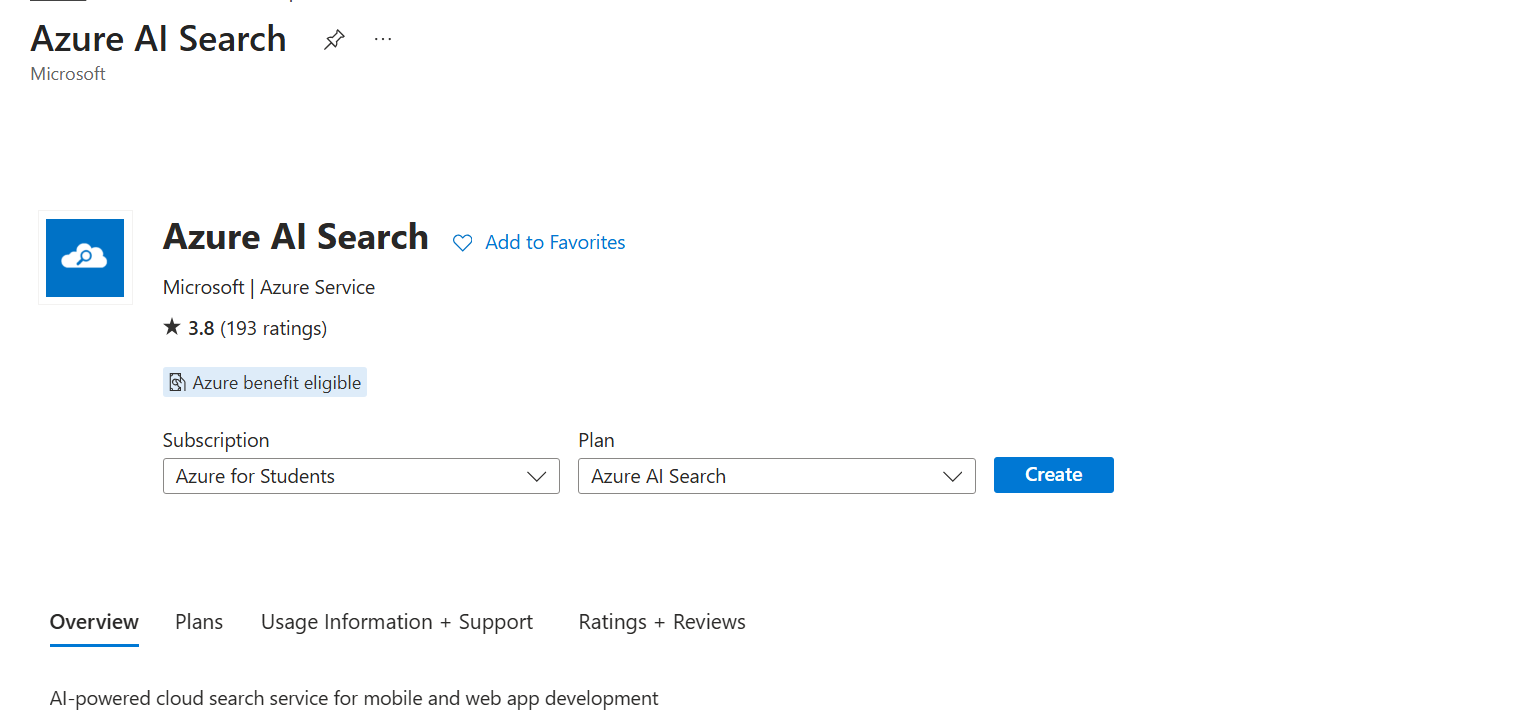
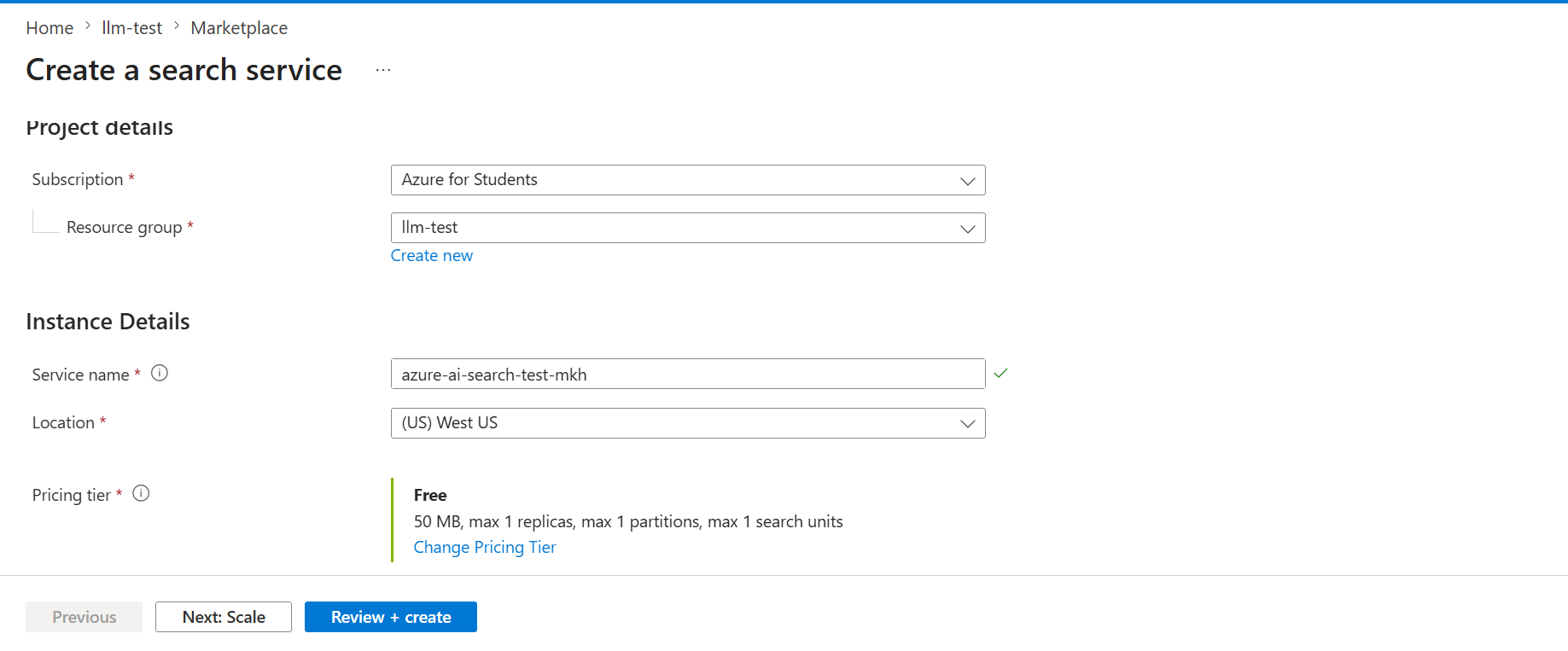
Create Azure AI Search resource and index from CSV in Blob, then link embeddings
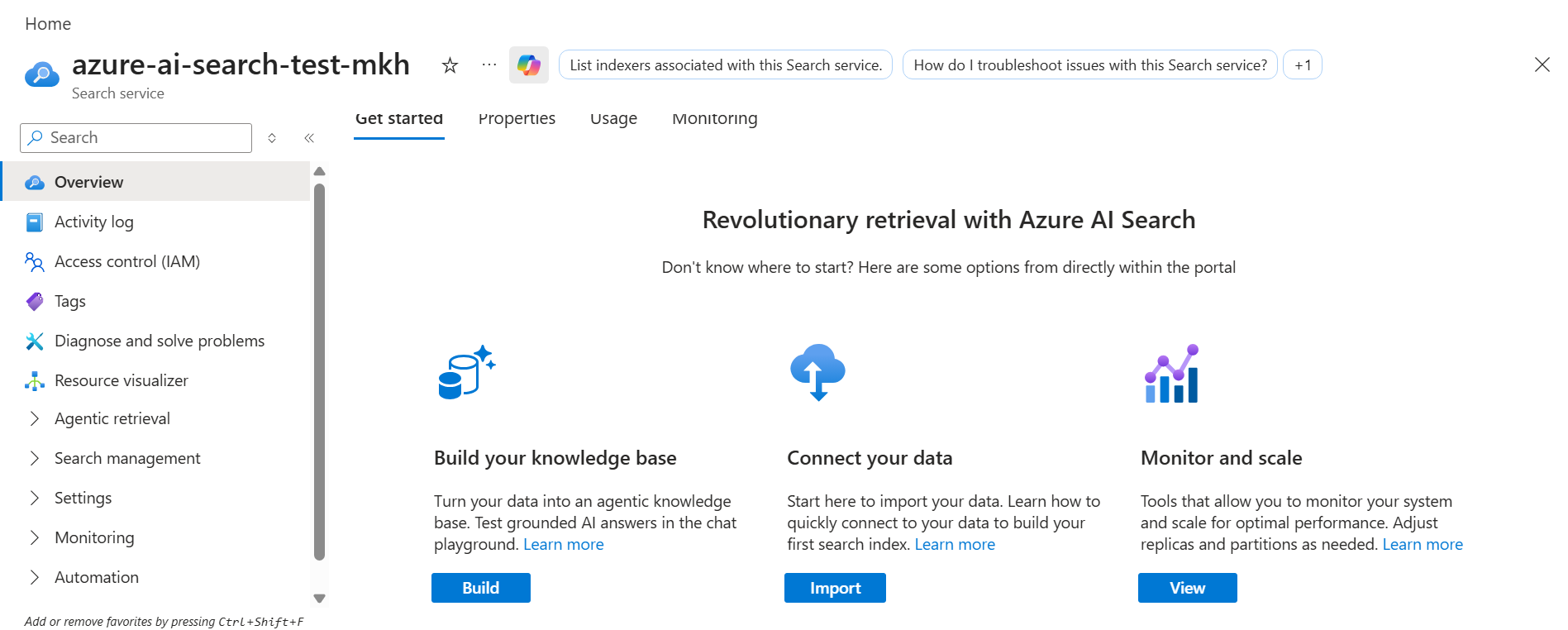
- Create an Azure AI Search resource in Azure Portal.
- Create an Azure Storage Account and Blob container.
- Upload your CSV (for this repo, use wine-ratings.csv) to the Blob container.
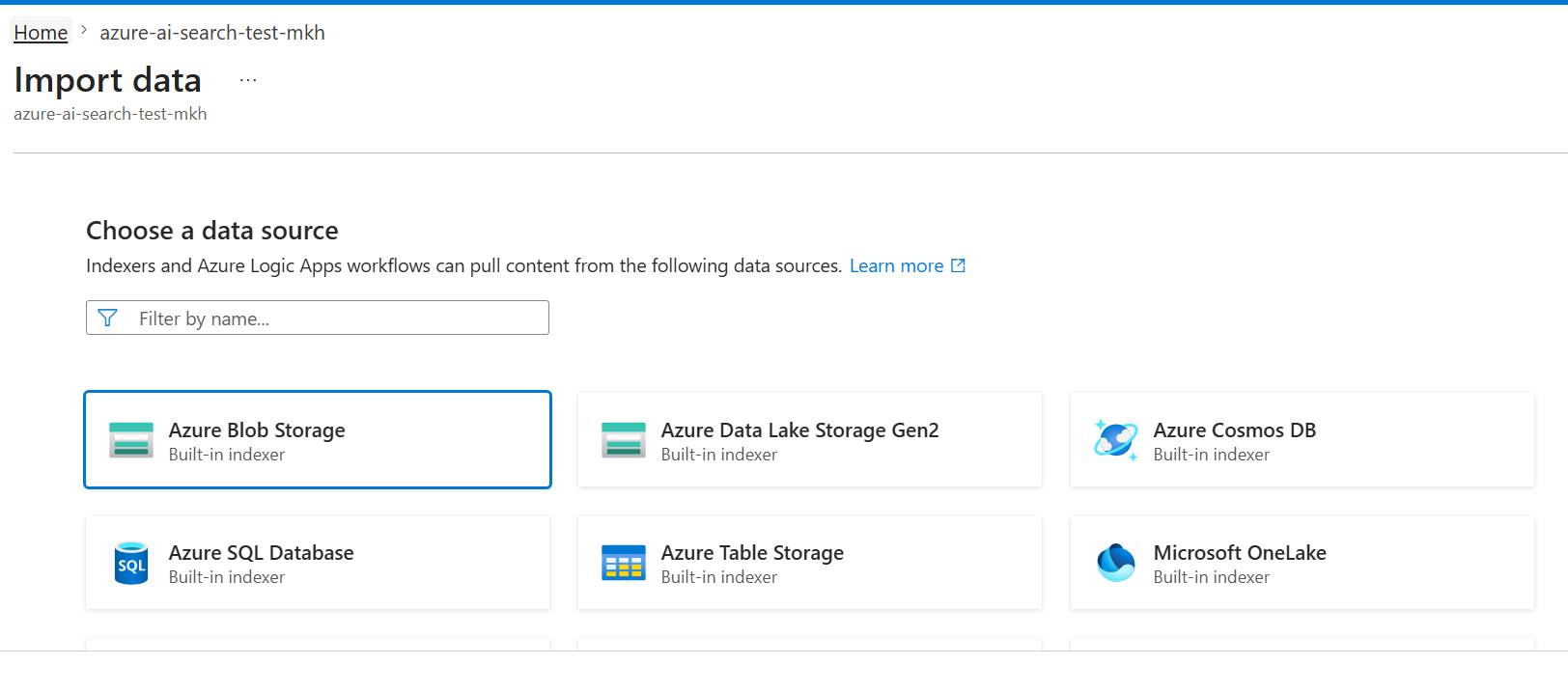
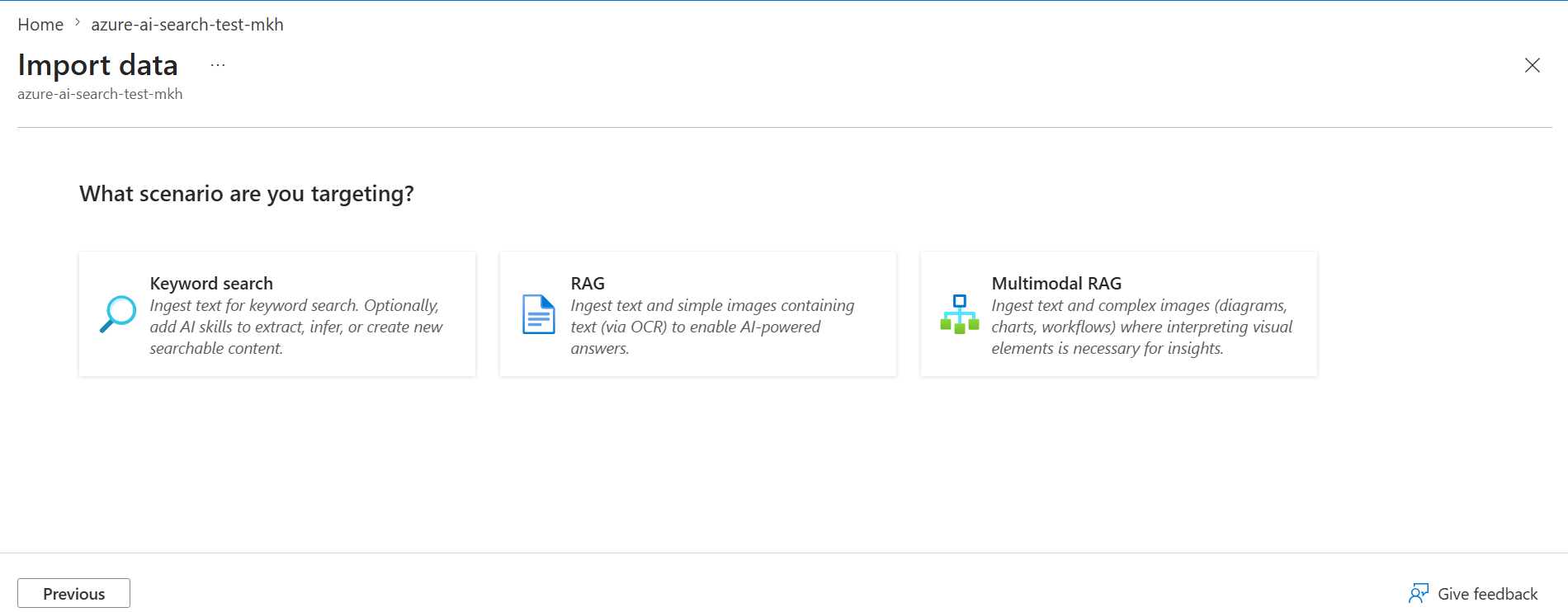
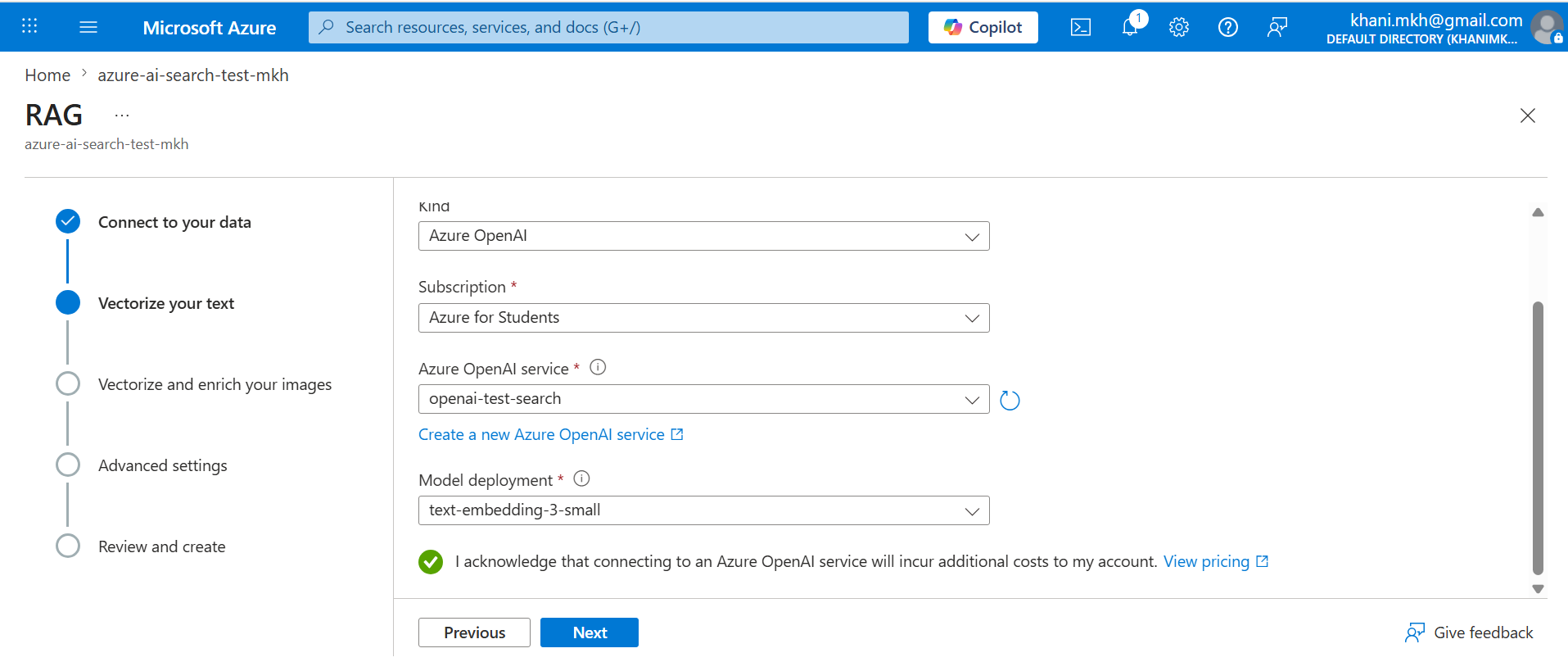
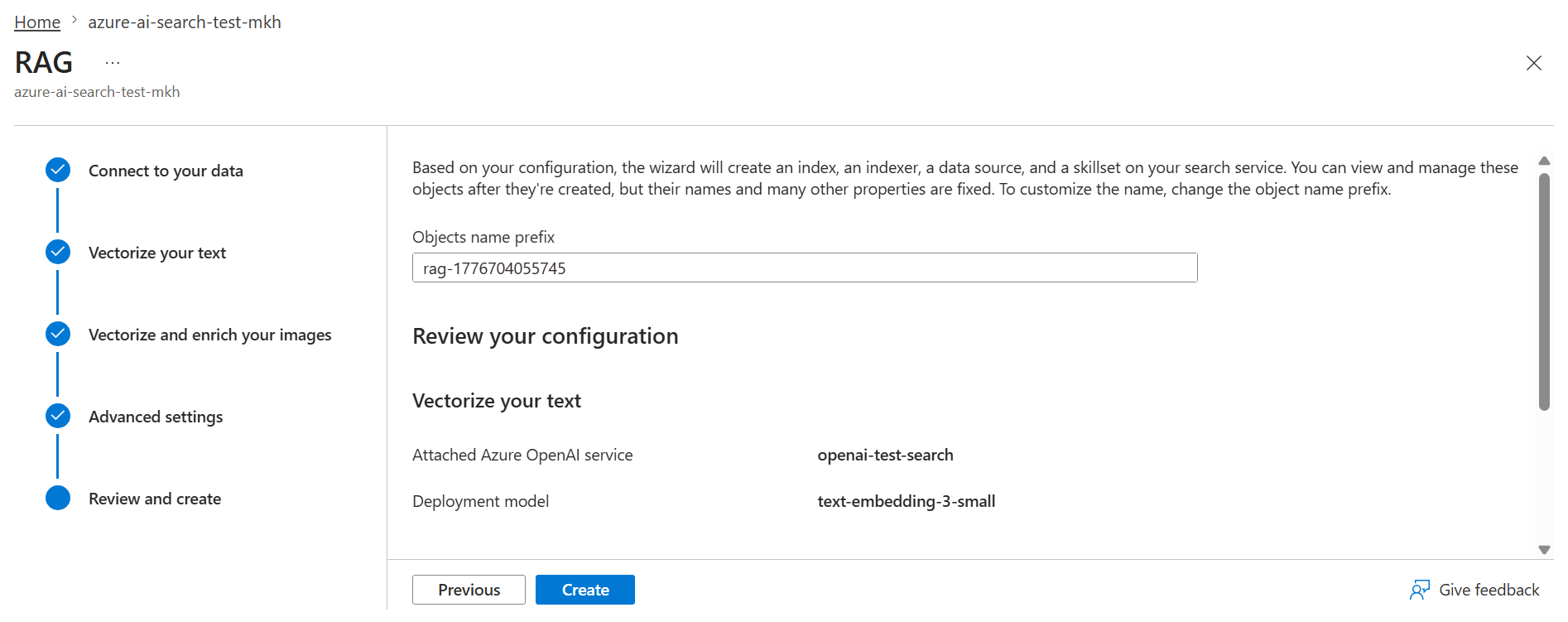
- In Azure AI Search, start Import data / Import and vectorize data wizard.
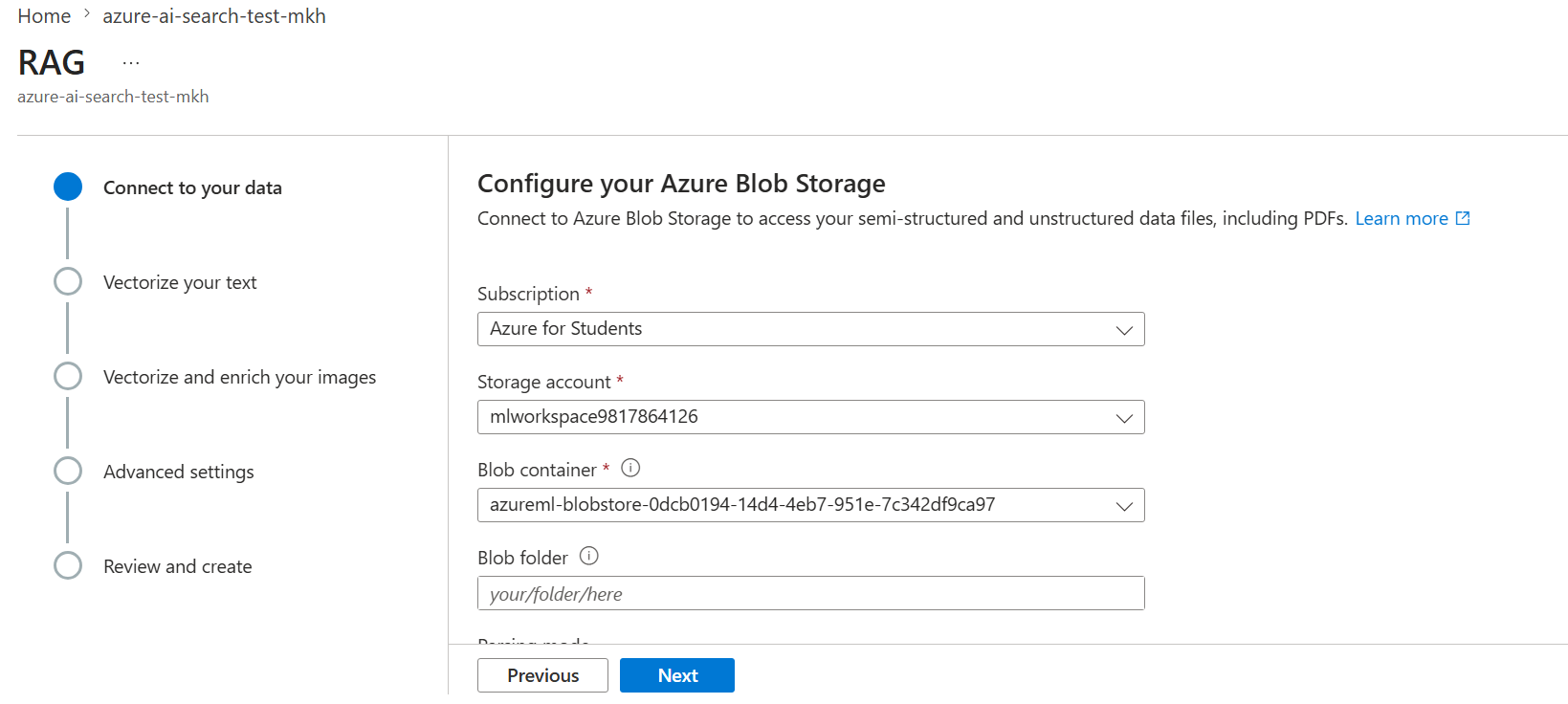
- Choose Azure Blob Storage as data source and select your CSV file/container.
- Configure parsing/chunking so text content is searchable.
- Choose or customize index fields, then note final field names for:
- content text field
- title field
- source/id field
- vector field
- For vectorization, connect the wizard to your Azure OpenAI embedding deployment.
- Run indexer and verify documents are loaded into the index.
- Put values into .env:
- AZURE_SEARCH_ENDPOINT
- AZURE_SEARCH_ADMIN_KEY
- AZURE_SEARCH_INDEX_NAME
- AZURE_SEARCH_CONTENT_FIELD
- AZURE_SEARCH_TITLE_FIELD
- AZURE_SEARCH_SOURCE_FIELD
- AZURE_SEARCH_VECTOR_FIELD
Important connection for this app:
- RAG_RETRIEVAL_MODE=hybrid or vector only works as expected when both are present:
- AZURE_OPENAI_EMBEDDING_DEPLOYMENT
- AZURE_SEARCH_VECTOR_FIELD
Run with Docker
- Start:
- docker compose up –build
- Stop:
- docker compose down
Service URL:
- http://localhost:8010
Run without Docker
- Create venv
- Install dependencies
- Start uvicorn
Example:
- python -m venv .venv
- .\.venv\Scripts\Activate.ps1
- pip install -r requirements.txt
- uvicorn app.main:app –app-dir backend –reload –port 8010
How the Code Is Organized
- Backend API app: backend/app/main.py
- Settings and env mapping: backend/app/config.py
- Request/response models: backend/app/schemas.py
- Chat and RAG service logic: backend/app/services/rag_chat.py
- Frontend page structure: frontend/index.html
- Frontend logic/API calls: frontend/app.js
- Frontend styles: frontend/styles.css
- Container build: Dockerfile
- Local container run: docker-compose.yml
- CI/CD workflow: .github/workflows/azure-rag-openai-assistant.yml
- Infra scripts: infra/scripts/deploy_containerapp.sh, infra/scripts/configure_traffic.sh, infra/scripts/configure_alerts.sh, infra/scripts/export_env_config.py
- Infra environment profiles: infra/environments/staging.json, infra/environments/production.json
What Happens Step-by-Step
- User opens browser at root URL /
- Backend returns frontend page from frontend/index.html
- User picks mode (chat or rag) and submits question
- Frontend sends POST request to backend:
- Chat mode: /api/chat
- RAG mode: /api/rag/chat
- Backend validates payload using backend/app/schemas.py
- Backend calls service in backend/app/services/rag_chat.py
- Service talks to Azure OpenAI (and Azure Search for RAG)
- Backend returns ChatResponse JSON
- Frontend renders answer and, in RAG mode, renders returned documents in details panel
How Each Service Works (with key code)
1. FastAPI app service
File: backend/app/main.py
Key responsibilities:
- Creates FastAPI app
- Mounts static files for frontend
- Exposes endpoints:
- GET /api/health
- GET /api/config
- POST /api/chat
- POST /api/rag/chat
2. Settings service
File: backend/app/config.py
Key responsibilities:
- Loads env variables into typed Settings
- Maps .env keys (aliases) to Python fields
- Provides cached singleton settings via get_settings()
Why this matters:
- Any index schema changes can be handled by env field mappings instead of code edits
3. Chat + RAG domain service
File: backend/app/services/rag_chat.py
Main methods:
- chat(question, history, temperature)
- Builds plain chat messages
- Calls Azure OpenAI chat.completions
- rag_chat(question, history, temperature)
- Calls search_documents(question)
- Builds context from retrieved docs
- Builds RAG system prompt with that context
- Calls Azure OpenAI chat.completions
- Returns answer + sources + docs
- search_documents(query)
- Creates Azure Search client
- Uses retrieval mode from env: text, vector, or hybrid
- Uses vector query only if both vector field and embedding deployment are configured
- _to_doc(item)
- Normalizes returned search result into doc dictionary
- Preserves all fields and maps title/content/source using env-configured field names
How Backend and Frontend Are Connected
Static hosting connection
- Backend serves static frontend files:
- app.mount(“/static”, StaticFiles(…))
- GET / returns index.html
API connection
Frontend file frontend/app.js sends fetch requests:
- Endpoint selection:
- /api/chat when mode is chat
- /api/rag/chat when mode is rag
- Payload:
- question
- history (last 10 messages)
- temperature
Backend file backend/app/main.py receives the payload and returns ChatResponse.
Frontend then:
- Appends assistant answer to chat messages
- For RAG, renders data.docs into card-like results in Response Details
How RAG Works Here
- User sends question in RAG mode
- Backend calls search_documents(question)
- Azure Search returns top K documents
- Service builds a context block from documents
- Service injects context into system prompt
- Service calls Azure OpenAI chat completion
- Service returns:
- answer: generated text
- sources: source list from docs
- docs: full document objects (for UI rendering)
Important RAG controls via env:
-
RAG_RETRIEVAL_MODE: text vector hybrid - RAG_TOP_K
- AZURE_SEARCH_*_FIELD mappings
- AZURE_OPENAI_EMBEDDING_DEPLOYMENT (needed for vector/hybrid vector part)
API Request Libraries: Python and JavaScript
Python example with requests
1
2
3
4
5
6
7
8
9
10
11
import requests

payload = {
    "question": "best Cabernet Sauvignon",
    "history": [],
    "temperature": 0.2,
}

resp = requests.post("http://localhost:8010/api/rag/chat", json=payload, timeout=60)
resp.raise_for_status()
print(resp.json())
JavaScript example with fetch
1
2
3
4
5
6
7
8
9
10
11
12
13
14
const payload = {
  question: "best Cabernet Sauvignon",
  history: [],
  temperature: 0.2,
};

const response = await fetch("/api/rag/chat", {
  method: "POST",
  headers: { "Content-Type": "application/json" },
  body: JSON.stringify(payload),
});

const data = await response.json();
console.log(data);
Quick Tips
- Keep index field mappings in .env aligned with your Azure Search schema.
- If sources show unknown, check AZURE_SEARCH_SOURCE_FIELD.
- If vector search is not used, check:
- AZURE_OPENAI_EMBEDDING_DEPLOYMENT
- AZURE_SEARCH_VECTOR_FIELD
- Use /api/config to verify runtime settings quickly.
- For local troubleshooting, first test /api/health, then /api/chat, then /api/rag/chat.
CI/CD Note About Infra Files
Current workflow .github/workflows/azure-rag-openai-assistant.yml currently deploys directly with Azure CLI commands to ACR/Container Apps.
If you want the workflow to use infra scripts and environment profiles consistently, wire these in the workflow:
- export_env_config.py with staging.json or production.json
- deploy_containerapp.sh for deployment update
- configure_traffic.sh for revision traffic rules
- configure_alerts.sh for monitoring alerts
This lets you keep deployment behavior in infra files rather than duplicating shell logic inside workflow YAML.
Resources
- Azure OpenAI docs: https://learn.microsoft.com/azure/ai-services/openai/
- Azure AI Search docs: https://learn.microsoft.com/azure/search/
- FastAPI docs: https://fastapi.tiangolo.com/
- Docker docs: https://docs.docker.com/
- GitHub Actions docs: https://docs.github.com/actions
- Azure Container Apps docs: https://learn.microsoft.com/azure/container-apps/
Project repository
GitHub Code: Azure RAG OpenAI Assistant